正在考虑使用 Paper 进行 UI/UX 设计?在选定这款开源 alpha 工具之前,不妨先看看它与 Penpot、Figma、Framer 等五款替代工具的对比情况。
Like many AI-native tools, Paper has promised to upend how UI and UX design gets done. Its designs are built on HTML and CSS with no export step, and it includes a Model Context Protocol (MCP) server that lets AI agents read and write to your files directly. For teams already living in an agent-driven workflow, that's an appealing toolset.
和许多原生AI工具一样,Paper承诺颠覆UI和UX设计的工作方式。其设计基于HTML和CSS,无需导出步骤,还配备了模型上下文协议(MCP)服务器,让AI智能体能够直接读写你的文件。对于已经采用智能体驱动工作流的团队来说,这是一套颇具吸引力的工具集。
But the idea of AI agents reading and writing directly to a design file isn't exclusive to Paper. Plus, it's worth knowing what Paper does well and where it falls short today. Below, we break down what Paper is and who it's right for, and then compare five alternatives so you can find the AI-ready design platform that fits your team's workflow.
但人工智能智能体直接读写设计文件的想法并非Paper独有。此外,有必要了解Paper的优势所在以及目前的不足之处。下文我们将详细介绍Paper是什么、适合哪些用户,随后对比五款替代工具,帮助你找到适配团队工作流程的人工智能适配型设计平台。
TL;DR 要点速览
Paper is a code-native design tool where the canvas is real HTML and CSS, with deep MCP support for AI agents.
Paper 是一款原生代码设计工具,其画布采用真实的 HTML 和 CSS,并且对 AI 智能体提供了深度的 MCP 支持。
The best design platform for you depends on team size, how much you rely on AI agents today, and how much control you need over your data.
最适合你的设计平台取决于团队规模、你目前对AI智能体的依赖程度以及你需要对数据拥有多大的控制权。
Penpot is the leading open-source, self-hostable alternative to Paper for teams that want AI-readiness without giving up stability or data control.
对于希望具备人工智能适配能力且不牺牲稳定性或数据控制权的团队来说,Penpot 是 Paper 领先的开源、可自托管替代方案。
What is Paper? Paper 是什么?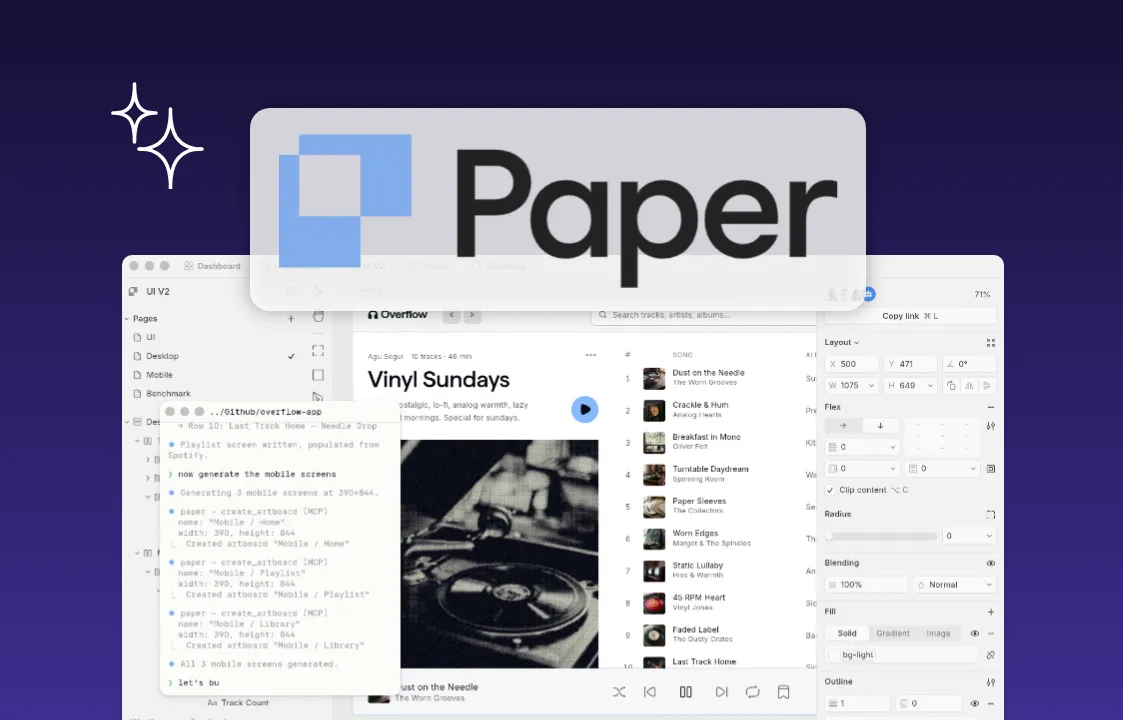
The image shows "Paper app" logo on a paper app product image
s a design canvas where every frame you draw is already a web element, with true flexbox layouts and live CSS properties, so there's no export step and no translation layer between design and code.
这是一个设计画布,你绘制的每一个框架本身就是一个网页元素,具备真正的弹性盒布局和实时CSS属性,因此在设计与代码之间无需导出步骤,也不存在转换层。
Paper's core feature is its MCP server. Once you open a file in the Paper desktop app, AI agents in tools like Claude Code or Cursor can read and write to your canvas directly, with the ability to create frames, update styles, and pull the JSX or Tailwind output of any element. Agents can also pull live content from sources like Notion or Figma directly into a design file.
Paper的核心功能是其MCP服务器。当你在Paper桌面应用中打开文件后,Claude Code或Cursor等工具中的智能体可以直接读取和写入你的画布,能够创建框架、更新样式,并提取任意元素的JSX或Tailwind输出。智能体还可以将Notion或Figma等来源的实时内容直接提取到设计文件中。
Beyond MCP, Paper includes: 除了 MCP 之外,Paper 还包含:
True flexbox layouts, so elements behave with real CSS positioning instead of a flat, freeform canvas
真正的弹性盒布局,让元素遵循实际的 CSS 定位规则,而非在扁平的自由画布上随意摆放
The OKLCH color model for more perceptually consistent color changes than a standard HSB/HSL picker
OKLCH 色彩模型能带来比标准 HSB/HSL 选色器更符合人眼感知的色彩变化效果
GPU-accelerated shaders, like mesh gradients, liquid metal, and halftone patterns
GPU 加速着色器,包括网格渐变、液态金属和半色调图案
Paper is still in open alpha, which makes it a natural fit for solo designers and developers or small teams experimenting with AI-driven workflows. If you're a hybrid designer-developer building your own product, or an engineer who wants to prototype UI without leaving your codebase, Paper's code-native canvas removes a lot of the friction a traditional design tool adds.
Paper 目前仍处于公开测试阶段,这使其非常适合独立设计师、开发者或小型团队尝试 AI 驱动的工作流程。如果你是兼具设计与开发能力的创作者,正在打造自有产品,或是希望在代码库中直接进行 UI 原型设计的工程师,Paper 以代码为核心的画布消除了传统设计工具带来的诸多阻碍。
What people are saying about Paper 用户评价关于 Paper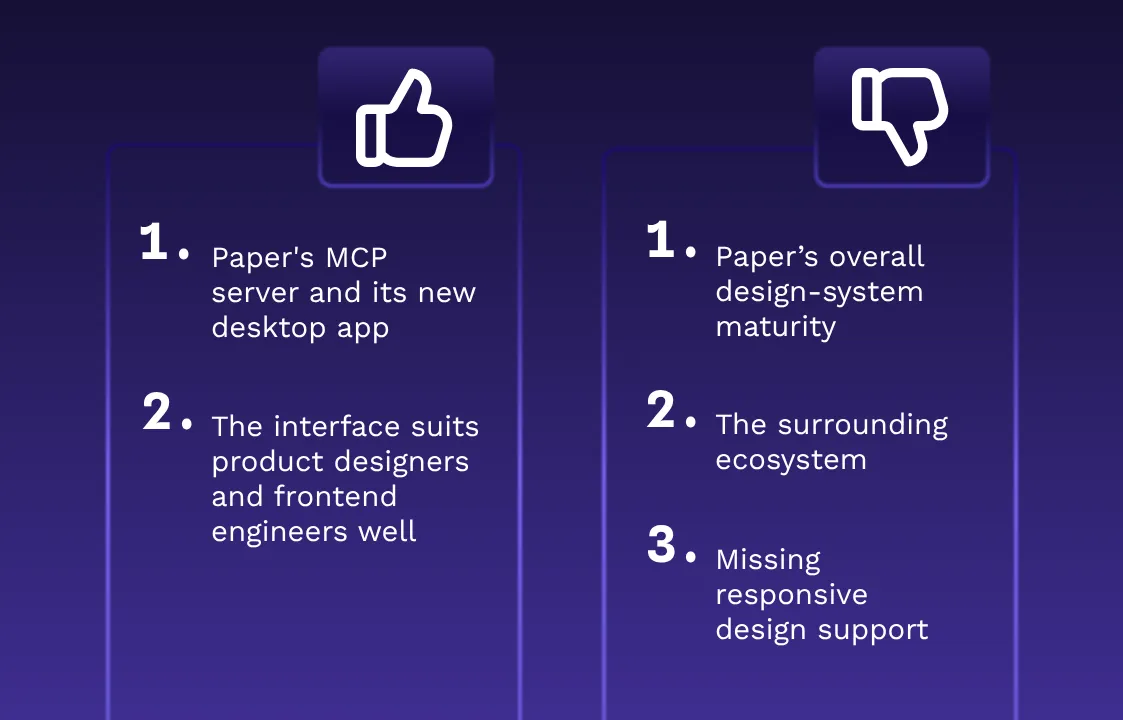
The image shows a table with two columns, one for pro and one for cons of Paper app, according to the audience.
Paper is new enough that most of the feedback so far comes from early reviewers and independent comparison sites rather than established platforms like G2 or Capterra.
这款产品推出时间尚短,目前大多数反馈都来自早期评测者和独立对比网站,而非 G2 或 Capterra 这类成熟平台。
What people like: 用户评价:
Reviewers have praised Paper's MCP server and its new desktop app as genuine advances in bringing design and code closer together. (Banani)
审稿人称赞 Paper 的 MCP 服务器及其全新桌面应用是推动设计与代码更紧密结合的真正进步。(巴纳尼)
The interface itself has drawn praise for being simpler and less cluttered than a typical design tool, a quality reviewers say suits product designers and frontend engineers well. (DesignToolMark)
该界面本身因其比典型设计工具更简洁、更少杂乱而备受好评,评测人员称这一特性非常适合产品设计师和前端工程师。(DesignToolMark)
Where people see room for improvement:
人们认为有待改进的地方:
Paper’s collaboration tools, component management, and overall design-system maturity haven't caught up to established platforms yet, and reviewers note that open alpha status leaves room for the product to change unexpectedly. (SFAI Labs)
该论文的协作工具、组件管理以及整体设计系统的成熟度尚未赶超成熟平台,同时评测人员指出,开放的内测状态让产品存在意外变更的空间。(SFAI 实验室)
Reviewers point to missing responsive design support, a narrow set of component types, and the absence of a plugin marketplace as notable gaps. (UI Things)
评审人员指出,缺乏响应式设计支持、组件类型范围狭窄以及缺少插件市场是明显的短板。(UI 组件库)
The surrounding ecosystem — templates, libraries, and community support — is still catching up to more mature tools, and some features remain rough around the edges. (Design Monks)
周边生态系统——包括模板、库和社区支持——仍在追赶更成熟的工具,部分功能仍有待完善。(Design Monks)
The best Paper alternatives at a glance
一眼看懂 Paper 的最佳替代方案
Before we dive into the details, here's how all five stack up side by side.
在深入细节之前,先让我们把这五者并列对比一下。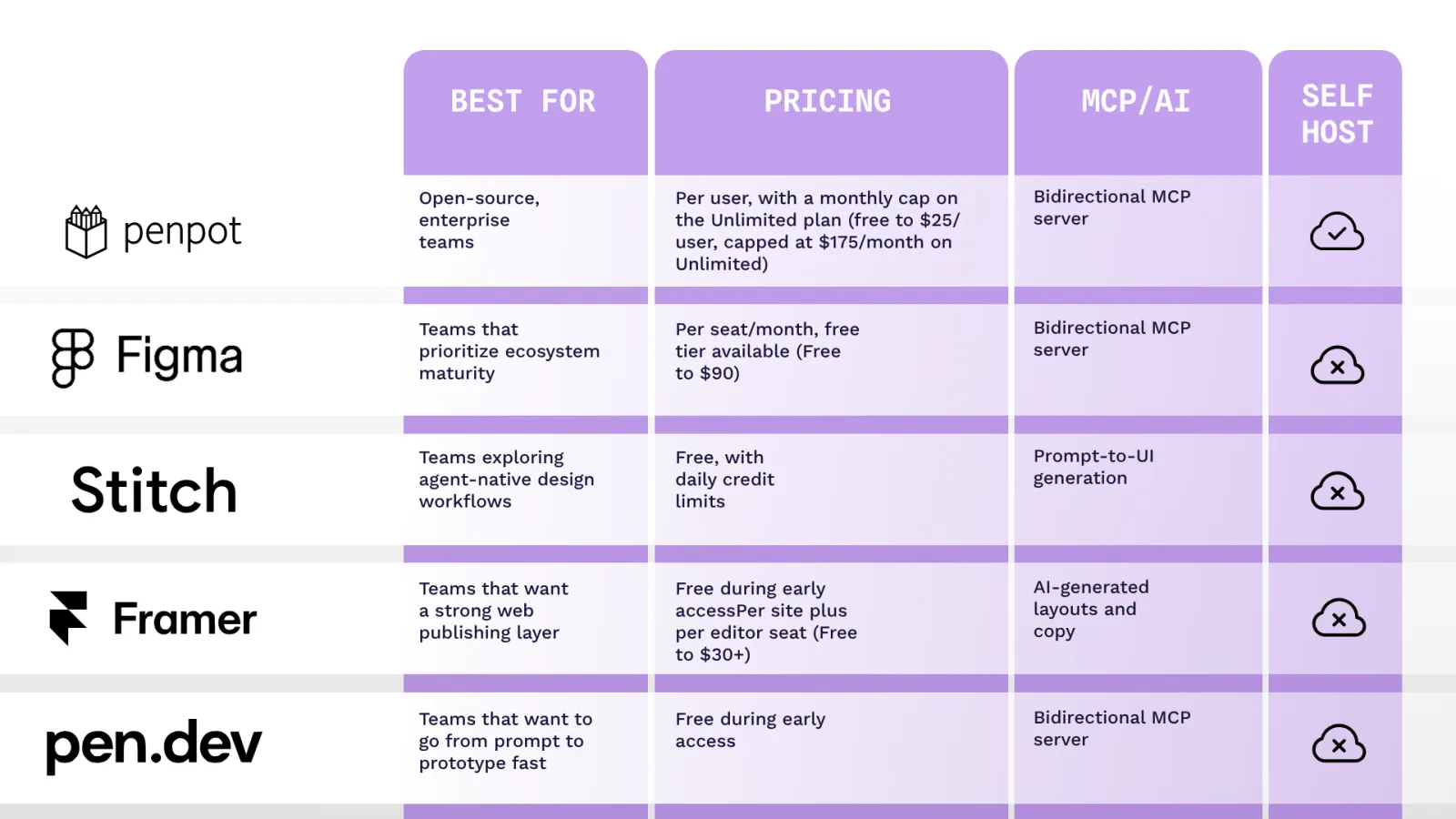
A closer look at the best Paper alternatives
深入了解最佳的 Paper 替代方案
Each of these five tools takes a different approach to AI, collaboration, and control. Here's how they stack up against Paper, and against each other.
这五种工具在人工智能、协作方式和控制机制上各有不同的处理思路。以下是它们与 Paper 以及彼此之间的对比情况。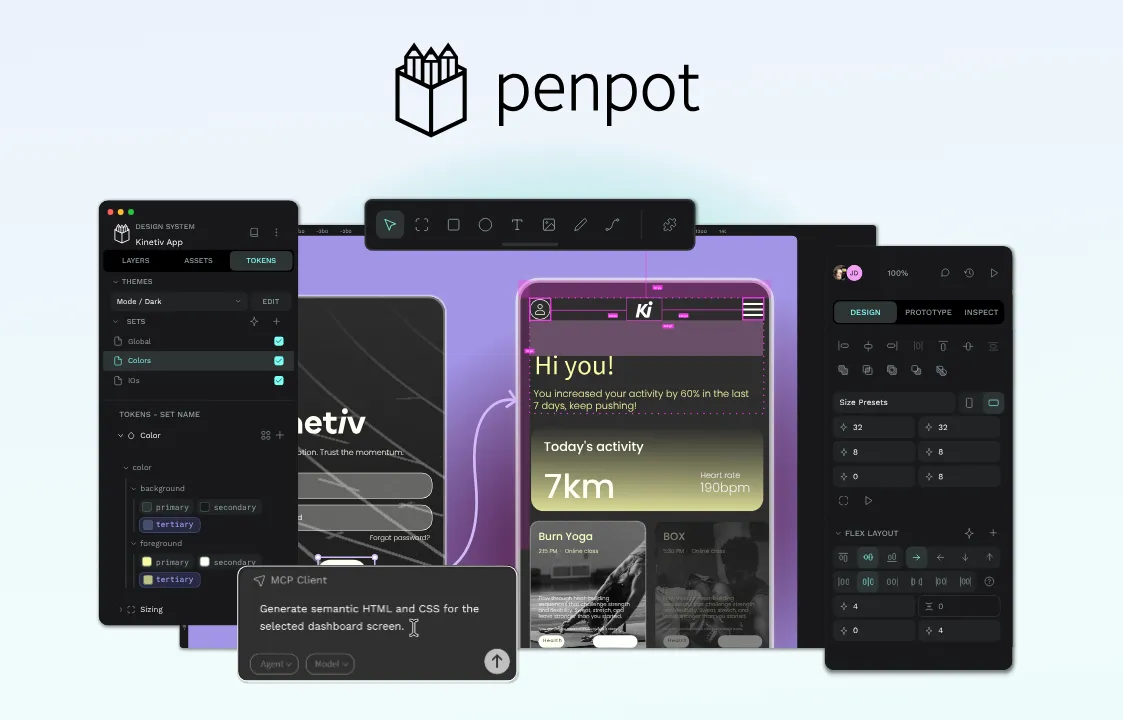
The image shows penpot logo and a penpot product image
- Penpot: Best for open-source, enterprise teams
- Penpot:最适合开源企业团队
Penpot is an open-source design platform built to close the gap between designers and developers for teams that range from solo designers to enterprise teams. Like Paper, Penpot treats AI agents as an integral part of the workflow, not a side project. Its official MCP server lets agents read, create, and modify design files programmatically, giving teams the same agent-driven canvas access Paper promises, minus the open alpha risk.
Penpot是一款开源设计平台,专为从独立设计师到企业团队的各类团队打造,旨在弥合设计师与开发者之间的差距。与Paper一样,Penpot将AI智能体视为工作流程的核心组成部分,而非附属项目。其官方MCP服务器允许智能体以编程方式读取、创建和修改设计文件,让团队能够获得Paper所承诺的智能体驱动画布访问权限,同时规避了开放测试版的风险。
Penpot is also fully self-hostable, so your design files and data never leave your own infrastructure. That matters for any team with compliance requirements or a preference for owning its own data. And because Penpot stores designs in open formats (SVG, CSS, JSON), there's no lock-in if your workflow changes down the line.
Penpot 同样支持完全自托管,因此你的设计文件和数据永远不会离开你自己的基础设施。这一点对任何有合规要求或更倾向于自主掌控数据的团队都至关重要。此外,由于 Penpot 以开放格式(SVG、CSS、JSON)存储设计,即便你的工作流程后续发生变化,也不会出现数据锁定的情况。
For teams building or scaling a design system, Penpot's native design tokens (aligned with W3C standards) give design and engineering a shared language that holds up across large systems.
对于构建或扩展设计系统的团队而言,Penpot 原生设计令牌(符合 W3C 标准)为设计和工程领域提供了一套通用语言,可在大型系统中保持一致。
AI approach: Penpot treats AI as a programmable interface layer. Designs are stored in open formats, and an MCP server plus APIs let AI agents read, create, and modify designs, rather than relying only on closed, in-product AI features.
人工智能方案:Penpot 将人工智能视为可编程接口层。设计以开放格式存储,MCP 服务器和应用程序编程接口(API)让人工智能代理能够读取、创建和修改设计,而非仅依赖封闭的产品内人工智能功能。
Pros 优势
Fully open source under the Mozilla Public License
基于 Mozilla 公共许可证完全开源
Can run on your own infrastructure 可在你自己的基础设施上运行
Avoids vendor lock-in with SVG, CSS, JSON, and HTML file types
支持 SVG、CSS、JSON 和 HTML 文件类型,避免厂商锁定
Native design tokens aligned with W3C specs, plus true CSS flex and grid layouts for easier developer handoff
原生设计标记符符合 W3C 规范,搭配真正的 CSS 弹性盒和网格布局,让开发者交接更轻松
Cons 缺点
Smaller plugin and template library than Figma
插件和模板库比 Figma 小
Performance (when not self-hosted) depends on network and browser capabilities
性能(未自托管时)取决于网络和浏览器性能
Pricing 价格
Cloud (Penpot-hosted): 云端(Penpot 托管):
Professional: Free for up to 8 team members, 10GB of storage
专业版:最多8名团队成员免费,提供10GB存储空间
Unlimited: $7/user/month, capped at $175/month regardless of team size, plus more storage and version history
无限版:每位用户每月7美元,无论团队规模如何,每月最高175美元,同时提供更多存储空间和版本历史记录
Enterprise: $25/user/month, adds SSO, centralized admin, and audit logs
企业版:每位用户每月25美元,新增单点登录、集中式管理和审计日志功能
Private Server: Starting around $50k/year, a dedicated instance Penpot manages for you, with choice of hosting region and guaranteed response times
私有服务器:起价约每年5万美元,由 Penpot 为你管理专属实例,可选择托管区域并保证响应时间
Self-hosted (you host): 自托管(由你托管):
Professional: Free forever, full open-source deployment on your own infrastructure with community support
专业版:永久免费,可在自有基础设施上完全开源部署,获得社区支持
Enterprise: $25/user/month, adds centralized admin, advanced permissions, SSO, and audit logs, all on infrastructure you control
企业版:每位用户每月25美元,包含集中式管理、高级权限、单点登录和审计日志,所有功能均部署在您掌控的基础设施上
See the Penpot pricing page for current details.
请查看Penpot 定价页面了解最新详情。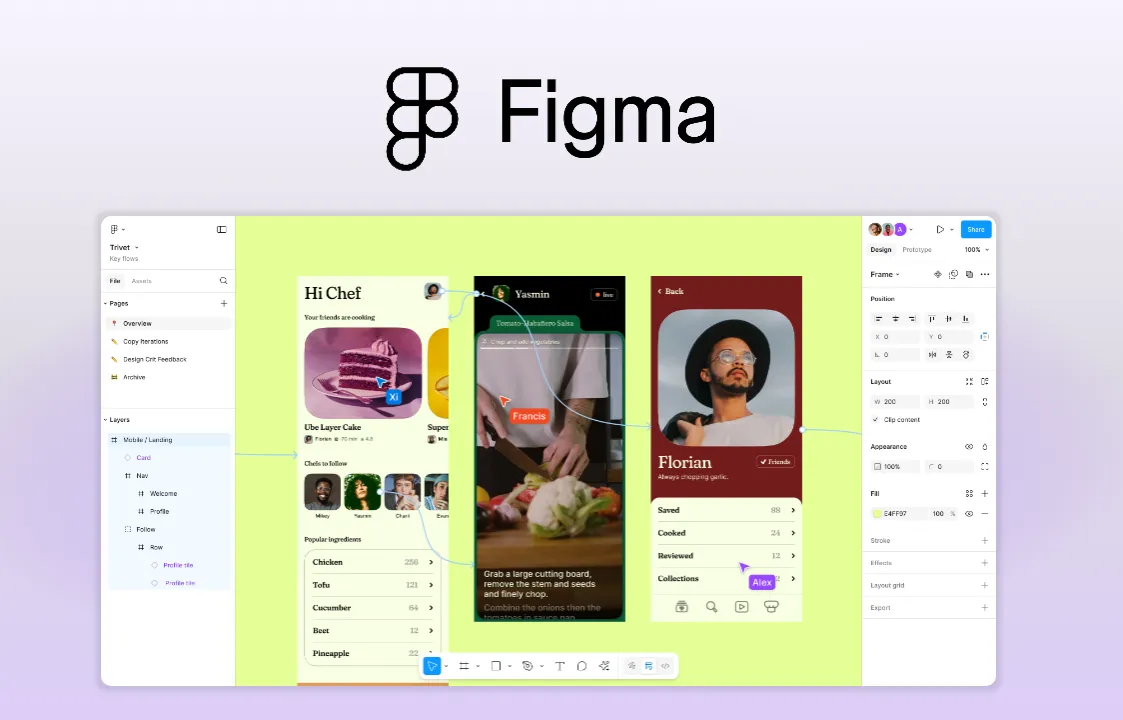
The image shows Figma logo and a Figma product image
- Figma: Best for teams that prioritize ecosystem maturity
- Figma:最适合重视生态系统成熟度的团队
Figma is one of the most popular design platforms on the market today, built on a decade of components and a plugin ecosystem few competitors can match. Its MCP server pulls component trees, design tokens, and layout constraints into code generation, and agents can also write directly to the canvas, creating and updating frames, components, variables, and auto layout.
Figma 是目前市场上最受欢迎的设计平台之一,基于十年的组件体系和几乎没有竞争对手能匹敌的插件生态构建而成。其 MCP 服务器将组件树、设计标记和布局约束融入代码生成过程,智能体还能直接在画布上进行操作,创建和更新框架、组件、变量以及自动布局。
For teams with an established Figma workflow, that's a meaningful shift, though canvas-write support is still rolling out across clients and remains a beta, soon-to-be-paid feature rather than a mature, universally available capability.
对于拥有成熟 Figma 工作流程的团队来说,这是一次意义重大的转变,不过画布写入功能仍在各客户端逐步推出,且它目前仍处于测试阶段,即将转为付费功能,并非成熟、全面开放的能力。
AI approach: Figma's MCP server sends design context to AI coding agents for code generation, and its newer remote server adds beta support for agents writing back to the canvas directly.
人工智能方案:Figma 的 MCP 服务器将设计上下文发送给人工智能编码代理以生成代码,其更新的远程服务器还新增了对代理直接向画布回写内容的测试版支持。
Pros 优势
Mature, decade-deep plugin and template ecosystem
成熟的、深耕十年的插件与模板生态
Proven real-time collaboration at scale
经实践验证的大规模实时协作能力
Established dev handoff workflows via Dev Mode
通过开发模式建立开发交接工作流
Cons 缺点
Canvas-write access is new, beta, and remote-server-only — not yet uniformly available across clients
Canvas 写入访问为新增的测试版功能,且仅支持远程服务器——目前尚未在所有客户端上全面开放
Proprietary, cloud-only platform with no self-hosting option
专有、仅支持云的平台,无自托管选项
Per-seat pricing that compounds for large or engineering-heavy teams
按座位计费,对于大型团队或工程密集型团队,费用会不断累积
Pricing 价格
Starter: Free, with limited AI credits (150/day, up to 500/month)
入门版:免费,包含有限的AI积分(每日150积分,每月最高500积分)
Professional: $16/month per full seat, plus 3,000 AI credits/month (lower-cost Dev and Collab seats also available)
专业版:每个完整席位每月16美元,外加每月3000个AI积分(另有价格更低的开发版和协作版席位)
Organization: $55/month per full seat billed annually, plus 3,500 AI credits/month, adds unlimited teams and centralized admin tools
组织版:每满座每月55美元,按年计费,外加每月3500个AI积分,新增无限团队和集中式管理工具
Enterprise: $90/month per full seat billed annually, plus 4,250 AI credits/month, adds custom workspaces and SCIM seat management
企业版:每完整席位每月90美元,按年计费,外加每月4250个AI积分,新增自定义工作空间和SCIM席位管理功能
See the Figma pricing page for current details.
请查看Figma 定价页面了解最新详情。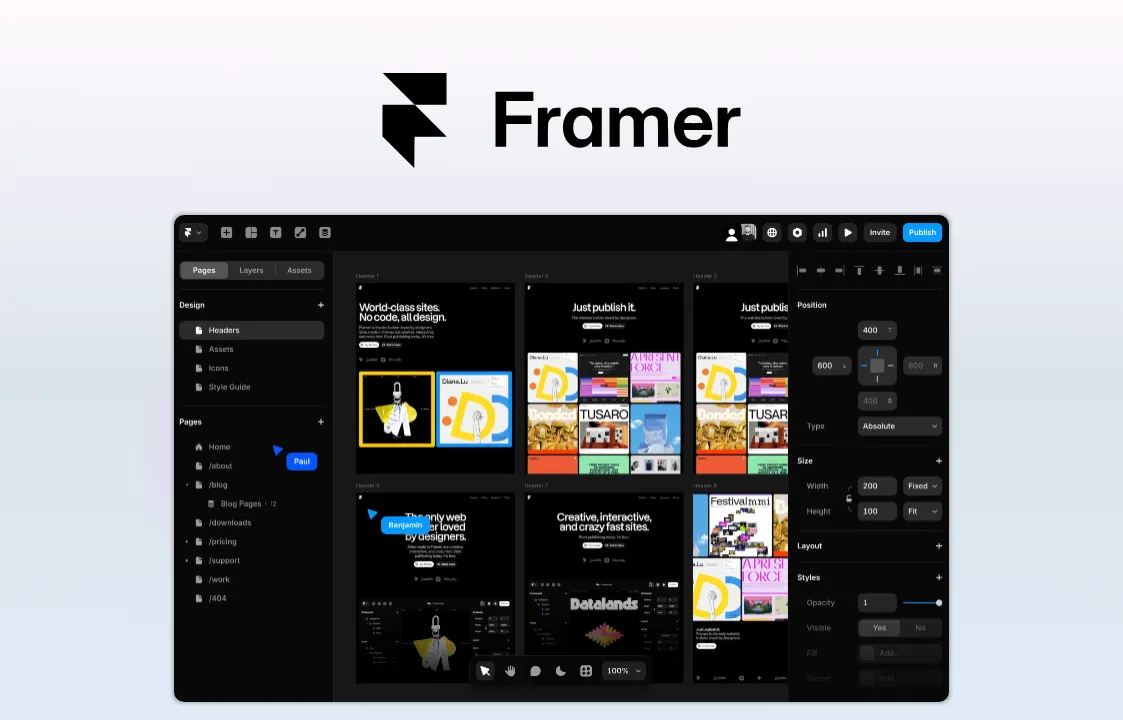
The image shows Framer logo and a Framer product image
- Framer: Best for teams that want a strong web publishing layer
- Framer:最适合需要强大网页发布功能的团队
Framer bridges high-fidelity design and production hosting, letting teams design, animate, and publish websites from a single platform. It leans on AI to generate layouts, sections, and copy, and supports custom AI plugins so teams can connect their own models. Compared to Paper, Framer's AI features focus on content generation and layout assistance, not agents reading and writing directly to a code-native canvas.
Framer 实现了高保真设计与生产托管的无缝衔接,让团队能够在单一平台上完成网站的设计、动画制作和发布。它借助人工智能生成布局、板块和文案,同时支持自定义人工智能插件,让团队可以接入自己的模型。与 Paper 相比,Framer 的人工智能功能聚焦于内容生成和布局辅助,而非让智能体直接读写原生代码画布。
Framer is a strong fit for teams whose primary output is a website rather than a full product design system. It handles animation and micro-interactions well out of the box, and design and hosting live in one platform, so there's no separate deployment step. It's less suited to teams managing complex, multi-screen product UI or a large component library.
Framer 非常适合主要产出网站而非完整产品设计系统的团队。它开箱即用就能很好地处理动画和微交互,且设计与托管都在同一个平台中,无需单独的部署步骤。它不太适合管理复杂的多屏产品用户界面或大型组件库的团队。
AI approach: Framer uses AI to generate page layouts, sections, and copy, with support for custom AI plugins that connect to outside model providers.
人工智能方法:Framer 利用人工智能生成页面布局、板块和文案,并支持连接外部模型提供商的自定义人工智能插件。
Pros 优势
High-fidelity, animated sites out of the box, with built-in transitions and micro-interactions
开箱即用的高保真动态网站,自带过渡效果和微交互
Design and hosting in one platform, reducing context switching
一站式完成设计与托管,减少上下文切换
Custom AI plugin support for teams that want to bring their own models
为希望使用自有模型的团队提供定制化AI插件支持
Cons 缺点
Built for websites, not large, complex product design systems
专为网站打造,而非大型、复杂的产品设计系统
Per-site pricing that can add up across multiple brands or properties
按站点定价,在多个品牌或资产上费用会累积
No agent-driven, bidirectional canvas access like Paper's
没有像 Paper 那样由智能体驱动的双向画布访问权限
Pricing 价格
Free: $0, 500 credits to try, 1GB bandwidth
免费版:0美元,提供500个试用积分,1GB带宽
Basic: $10/month, custom domain, 2 CMS collections, 50GB bandwidth
基础版:每月10美元,支持自定义域名,包含2个CMS集合,50GB带宽
Pro: $30/month, 10 CMS collections, 100GB bandwidth, staging environments and branching
专业版:每月30美元,10个CMS集合,100GB带宽,包含暂存环境和分支功能
Enterprise: Custom pricing, unlimited editors, SCIM, SSO, and an uptime guarantee
企业版:定制价格,无限编辑,SCIM、单点登录及正常运行时间保障
Additional editors: $20/month per seat on Basic and Pro; a $10/month Content Editor seat also available for CMS-only access
额外编辑:基础版和专业版每席位每月20美元;另有内容编辑席位,每月10美元,仅限访问内容管理系统(CMS)
See the Framer pricing page for current details.
请查看Framer 定价页面了解最新详情。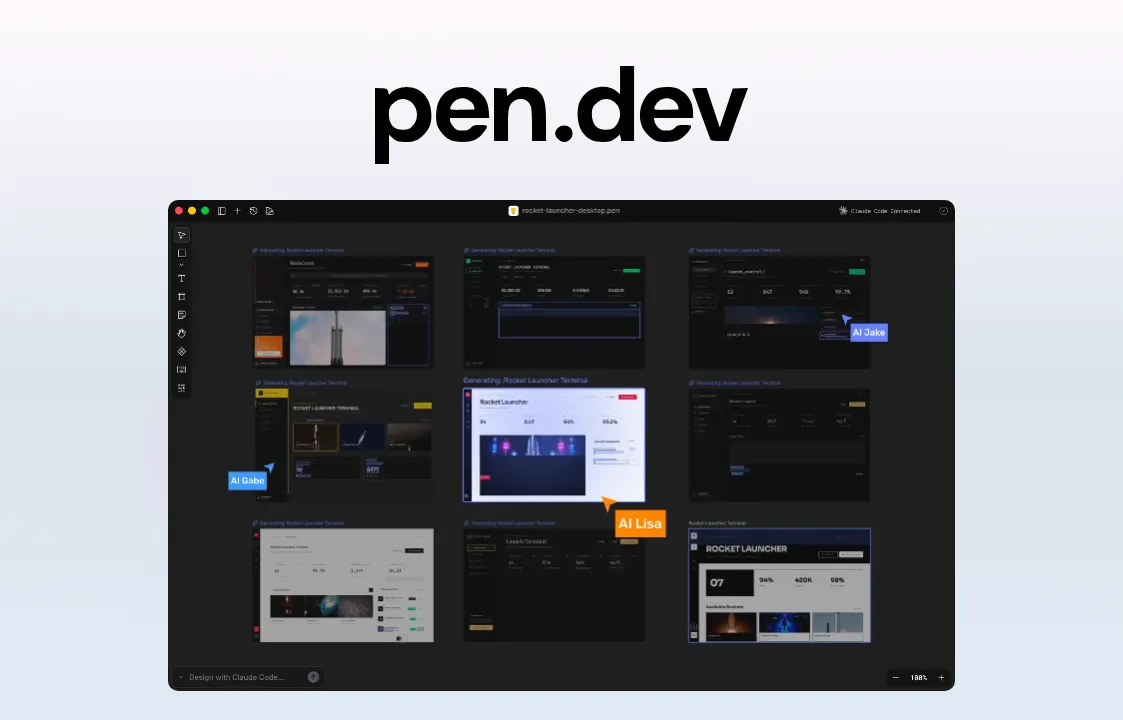
The image shows pen.dev logo and a pen.dev product image
- Pen: Best for teams that want to go from prompt to prototype fast
- Pen:最适合希望快速从提示词制作到原型开发的团队
Pen (formerly Pencil) is an agent-driven design tool that runs inside your integrated development environment (IDE) or as a standalone app, giving AI agents an infinite canvas to design UI and generate real code side by side. It's MCP-native from the ground up, so tools like Claude Code or Cursor can design and generate code directly inside your existing codebase, with no separate handoff step. In that sense, Pen is the closest match to Paper's core promise on this list.
Pen(前身为 Pencil)是一款由智能体驱动的设计工具,可在集成开发环境(IDE)内运行,也可作为独立应用程序使用,为 AI 智能体提供了无限画布,可并行设计用户界面并生成真实代码。它从底层开始就原生支持 MCP,因此像 Claude Code 或 Cursor 这类工具可以直接在你现有的代码库中进行设计和代码生成,无需单独的交接步骤。从这个角度来说,Pen 是本列表中最贴合 Paper 核心承诺的工具。
The trade-off is that Pen shares some of Paper's early-stage limitations. It's a newer product that lacks some of the robust, traditional design tooling found in mature platforms, and it depends on separate AI subscriptions and compatible IDEs to work. Prompt-driven design also comes with a structural risk: Without a shared token or component system enforcing consistency, larger projects can drift out of sync as different screens get prompted independently.
其代价是Pen存在一些与Paper早期阶段相似的局限性。作为一款较新的产品,它缺少成熟平台所具备的部分强大的传统设计工具,且需要依赖独立的AI订阅服务和兼容的集成开发环境才能运行。提示词驱动的设计还存在结构性风险:如果没有统一的标记或组件系统来保证一致性,大型项目中不同界面各自生成提示词,可能会导致整体设计脱节。
AI approach: Pen is an agent-driven, bidirectional MCP canvas that lives in your codebase, giving AI assistants full read and write access to design and generate code directly inside your IDE.
人工智能方案:Pen 是一款由智能体驱动的双向 MCP 画布,它存在于你的代码库中,让人工智能助手能够在集成开发环境(IDE)内直接对设计和代码进行全面的读写操作。
Pros 优势
Lives directly in your IDE and codebase, with no handoffs or exports
直接集成在你的 IDE 和代码库中,无需交接或导出
Agent-driven, MCP-native workflows that sync with components, tokens, and variables
由智能体驱动、原生支持 MCP 的工作流,可与组件、标记和变量保持同步
Free to try with full AI features 可免费试用,且包含全部 AI 功能
Cons 缺点
Requires separate AI subscriptions and specific IDEs, such as Cursor, VS Code, or Windsurf
需要单独订阅 AI 服务并搭配特定的集成开发环境(IDE),例如 Cursor、VS Code 或 Windsurf
It's a newer product that lacks some of the robust, traditional design tooling features in mature platforms
这是一款较新的产品,缺少成熟平台上那些功能强大的传统设计工具特性
Prompt-by-prompt generation can drift out of sync on larger, multi-screen projects
在大型多屏幕项目中,逐提示生成的内容可能会不同步
Pricing 价格
Pen is free. See their pricing page for current details.
Pen 是免费的。请查看 他们的定价页面 获取最新详情。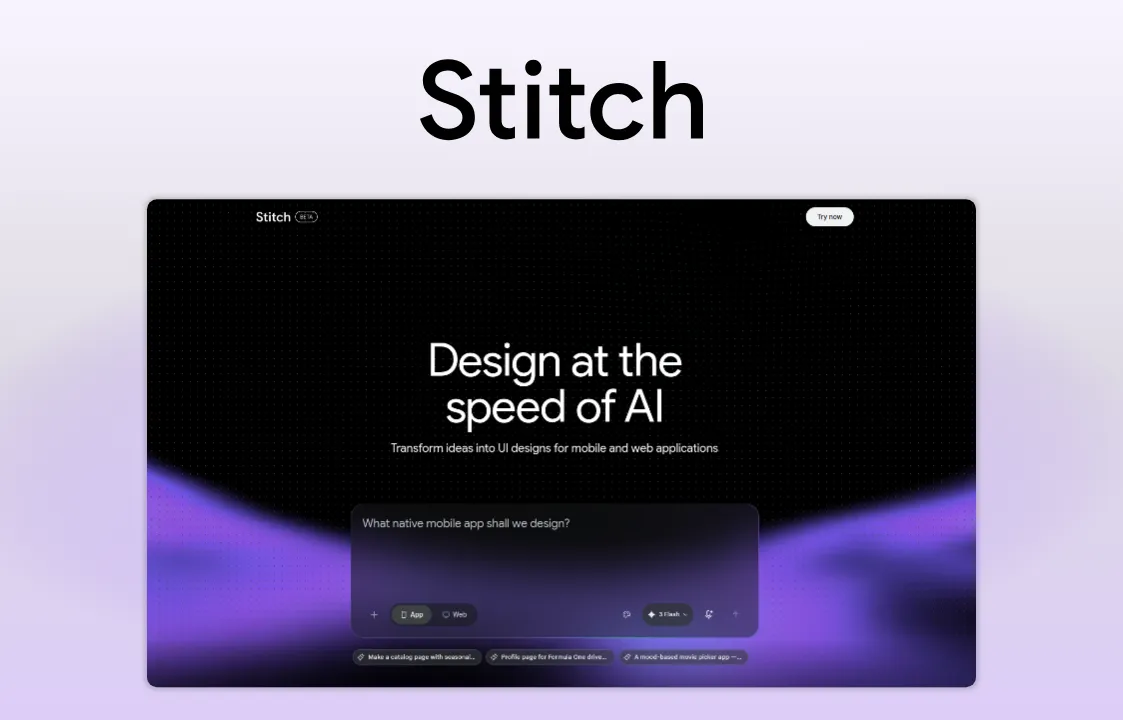
The image shows stitch logo and a stitch product image
- Stitch: Best for teams exploring agent-native design workflows
- Stitch:最适合探索智能体原生设计工作流的团队
Stitch is Google Labs' AI-native interface generator. Describe what you need and Stitch generates a starting UI you can refine or export. A recent update added voice-driven design on an infinite canvas, pushing it further into prompt-first territory. Where Paper's MCP server lets agents read and write to an existing canvas, Stitch skips the canvas step entirely and generates the interface from the prompt itself.
Stitch 是 Google Labs 推出的原生 AI 界面生成器。描述你的需求,Stitch 就会生成初始 UI,你可以对其进行优化或导出。最近的一次更新在无限画布上新增了语音驱动设计功能,使其进一步迈向提示词优先的领域。Paper 的 MCP 服务器允许智能体对现有画布进行读写操作,而 Stitch 则完全跳过画布步骤,直接根据提示词生成界面。
That makes Stitch fast for early exploration, but it isn't a collaborative design platform. There's no persistent file that agents can iterate on over time, no component system, and no path to production handoff built in. It's best treated as a sandbox for testing what AI-driven interface generation looks like, not a replacement for a team's primary design tool.
这使得 Stitch 适合快速进行初步探索,但它并非协作式设计平台。它没有可供智能体反复迭代的持久化文件,没有组件系统,也没有内置的交付生产环节的路径。它最好被视为测试人工智能驱动的界面生成效果的沙箱,而非团队主要设计工具的替代品。
AI approach: Stitch is Google's AI-first approach to UI generation. You describe the interface in text or voice, the AI generates it, and you refine or export from there.
人工智能方法:Stitch 是谷歌面向用户界面生成的人工智能优先方法。你通过文字或语音描述界面,人工智能即可生成界面,随后你可对其进行优化或导出。
Pros 优势
Extremely fast idea-to-UI turnaround, often minutes from prompt to first draft
从创意到UI的交付速度极快,从输入提示到生成第一版草稿通常只需数分钟
Accessible to non-designers who need something workable on screen quickly
适合需要快速在屏幕上获得可用设计的非设计师使用
Useful sandbox for testing what AI-driven design workflows can do
是测试AI驱动的设计工作流程的实用沙盒
Cons 缺点
Not sold as a full collaborative design platform
并非作为完整的协作式设计平台推出
Limited daily credits with no option to purchase more
每日额度有限,且无法购买更多额度
Better suited to prototypes and exploration than production-ready handoff
更适合用于原型设计和探索,而非交付给生产环境的成品设计
Pricing 定价
Google Stitch is completely free for now. However, you are restricted to a daily credit limit, which resets at midnight.
目前 Google Stitch 完全免费。不过,你有每日信用额度限制,该额度会在午夜重置。
How to choose the right Paper alternative
如何选择合适的 Paper 替代工具
No single tool wins for every team, so the right choice depends on what your workflow actually demands. Before committing, it helps to ask yourself these questions.
没有哪一款工具能适用于所有团队,因此正确的选择取决于你的工作流实际需要什么。在做出决定之前,不妨先问问自己这些问题。
What kind of work are you designing for? Full product design platforms like Penpot and Figma handle complex app UI, design systems, and developer handoff. Framer is better suited to shipping marketing sites and web pages. Stitch works best for early concepting and exploration, and Pen is built for engineers prototyping directly inside a codebase.
你在为哪种工作做设计? 像 Penpot 和 Figma 这样的全产品设计平台可处理复杂的应用用户界面、设计系统以及开发交付工作。Framer 更适合发布营销网站和网页。Stitch 最适用于早期构思与探索,而 Pen 则专为工程师在代码库中直接进行原型设计而打造。
How much does data control matter? If owning your infrastructure is a priority, whether for security, compliance, or vendor independence, self-hosting is a must. Penpot is the only platform on this list that supports it. Figma, Framer, and the AI-first tools keep you in their cloud entirely.
数据控制权有多重要?如果出于安全性、合规性或供应商独立性等原因,你优先考虑掌控自己的基础设施,那么自托管是必不可少的选择。Penpot 是本列表中唯一支持自托管的平台。Figma、Framer 以及以人工智能为核心的工具则会让你完全依赖于它们的云端服务。
How does your team collaborate across design and development? Teams spread across disciplines and codebases need a tool that generates formats developers can use directly, without a costly translation step. Penpot and Pen both prioritize this by being based on open web standards instead of proprietary formats like Figma.
你的团队如何在设计与开发之间协作?分布在不同专业领域和代码库中的团队需要一款工具,能够生成开发人员可直接使用的格式,无需耗费成本的转换步骤。Penpot 和 Pen 均基于开放的网络标准而非 Figma 这类专有格式,从而优先实现了这一需求。
How AI-ready does the tool need to be? There are two different approaches here: tools that embed AI features into the UI, and tools that expose MCP-style access so agents can read and modify design files programmatically. Paper and Pen are both built around the second approach from the ground up. Penpot combines an official, bidirectional MCP server with a mature design platform, open file formats, and self-hosting, a harder combination to find elsewhere for teams that need AI-readiness alongside compliance and long-term stability. Figma's MCP now supports canvas writes too, though only in beta via the remote server, while Stitch and Framer lean on AI for generation rather than persistent, agent-editable files.
该工具需要达到何种程度的AI就绪度?目前有两种不同的实现路径:一种是将AI功能嵌入到用户界面(UI)中,另一种是开放MCP风格的访问接口,让智能体能够以编程方式读取和修改设计文件。Paper和Pen两款工具均从底层开始就采用了第二种路径。Penpot将官方的双向MCP服务器与成熟的设计平台、开放文件格式以及自托管功能相结合,对于那些既需要AI就绪能力,又要求合规性和长期稳定性的团队来说,这种组合在其他平台中很难找到。Figma的MCP目前也支持画布写入功能,不过仅通过远程服务器以测试版形式提供;而Stitch和Framer则是将AI用于内容生成,而非支持智能体进行持久化、可编辑的文件操作。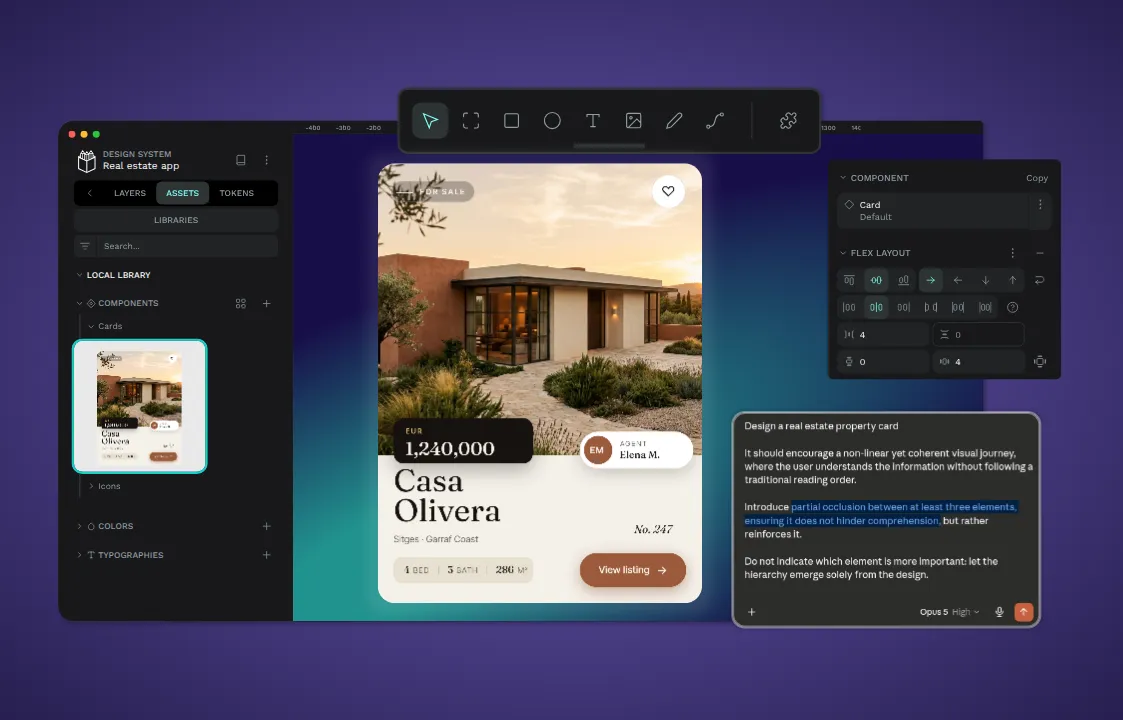
The image shows a penpot Ai workflow product image
Become AI-ready with Penpot 借助 Penpot 适配 AI
Most Paper alternatives solve one problem well. Framer is great for shipping websites. Stitch speeds up early exploration. Pen brings agents into your codebase but asks you to build everything else from scratch. What none of them offer is what Penpot does: a design tool where AI agents can read and write to your files directly, without giving up stability, collaboration, or control over your data.
大多数替代方案都只擅长解决一个问题。Framer 非常适合快速上线网站。Stitch 能加快早期探索的速度。Pen 可以将智能体引入你的代码库,但需要你从零构建其他所有功能。而这些工具都没有提供的是Penpot所具备的能力:一款设计工具,让 AI 智能体能够直接读写你的文件,同时又不会牺牲稳定性、协作性或对数据的控制权。
Penpot is open source, self-hostable, built on open web standards, and backed by an official MCP server that makes it AI-ready today, not in a future open alpha release. It's built for teams that want the agent-driven workflow Paper is pointing toward, without giving up the polished, complete design platform serious design work requires.
Penpot是一款开源、可自托管的工具,基于开放网络标准构建,由官方MCP服务器提供支持,如今就已具备人工智能功能,而非要等到未来的公开测试版发布。它专为那些希望实现Paper所指向的智能体驱动工作流的团队打造,同时又不会牺牲专业设计工作所需的精致、完整的设计平台功能。
If you're ready to get started, sign up for a free account today or speak with our team to find the right plan for your organization.
如果你已准备好开始,立即注册免费账户或联系我们的团队,为你的组织找到合适的方案。
FAQs 常见问题解答
Is Paper ready for production use?
Paper 适合投入生产环境使用吗?
Not yet, for most teams. Paper is still in open alpha, which means its APIs can change, features can break between updates, and support options are limited compared to an established platform. It's a solid choice for solo builders and small teams experimenting with AI-driven workflows, but larger or client-facing teams should wait for it to reach a more stable release before relying on it for production work.
目前对大多数团队来说还不行。Paper 仍处于公开测试阶段,这意味着其应用程序接口可能会变动,功能在更新间可能出现故障,且相较于成熟平台,其支持选项也较为有限。它是独立开发者和小型团队尝试人工智能驱动工作流程的可靠选择,但规模较大或面向客户的团队应等待其推出更稳定的版本,再将其用于生产工作。
Is Penpot a good alternative to Paper's AI features?
Penpot 是 Paper AI 功能的优质替代方案吗?
Yes. Penpot offers an official MCP server that lets AI agents read, create, and modify design files programmatically, the same core capability Paper is built around. The difference is that Penpot pairs that access with a mature, stable platform, open file formats, and self-hosting, so teams get AI-readiness without taking on open alpha risk. Learn more about Penpot’s AI features on our MCP server feature page.
是的。Penpot 提供官方 MCP 服务器,支持智能体以编程方式读取、创建和修改设计文件,这也是 Paper 所基于的核心功能。不同之处在于,Penpot 将这种访问能力与成熟稳定的平台、开放文件格式以及自托管功能相结合,因此团队能够实现 AI 就绪,同时无需承担开放测试版的风险。请在我们的MCP 服务器功能页面上了解更多关于 Penpot AI 功能的信息。
Can I migrate my designs from Figma or Paper to Penpot?
我可以将我的设计从 Figma 或 Paper 迁移到 Penpot 吗?
Migrating from Figma is a well-documented process: export your files in Penpot-friendly formats (JSON or SVG) and import them into your new libraries or use the Penpot exporter. For enterprises Penpot developed an accurate migration guide soon downloadable from its User Guide on the Help Centre. Migrating from Paper is less established, since Paper is a newer tool built around a different, code-native file structure. Expect more manual rebuilding of components and styles than a Figma migration, at least until Paper's ecosystem matures further.
从 Figma 迁移是一个有详细文档记录的流程:以 Penpot 支持的格式(JSON 或 SVG)导出你的文件,然后将其导入到你的新库中,或者使用Penpot 导出工具。对于企业用户,Penpot 已制定了详细的迁移指南,可立即从帮助中心的《用户指南》下载。从 Paper 迁移则没有成熟的流程,因为 Paper 是一款基于全新的原生代码文件结构构建的较新工具。至少在 Paper 的生态系统进一步成熟之前,这一过程需要比Figma 迁移更多的手动重建组件和样式的工作。
What's the difference between a read-only and a bidirectional MCP server?
只读 MCP 服务器和双向 MCP 服务器有什么区别?
A read-only MCP server sends design context (component trees, tokens, layout constraints) to an AI agent so it can generate code that references your design. The agent can look, but it can't touch the file. A bidirectional MCP server, like Penpot's or Paper's, lets an agent both read and write to the design file directly, creating frames, updating styles, or generating new components on the canvas itself. For teams that want AI agents to actively participate in the design process rather than just reference it, that difference is decisive.
只读型 MCP 服务器会将设计上下文(组件树、标记、布局约束)发送给 AI 智能体,使其能够生成引用你设计的代码。该智能体可以查看设计文件,但无法对其进行修改。双向型 MCP 服务器(如 Penpot 或 Paper 所采用的)则允许智能体直接读取和写入设计文件,在画布上创建框架、更新样式或生成新组件。对于希望 AI 智能体主动参与设计流程而非仅作为设计参考的团队而言,这一差异具有决定性意义。
评论0
暂时没有评论